- Home Page /
- Software /
- Business & Office /
- Communication /
- Remote Access /
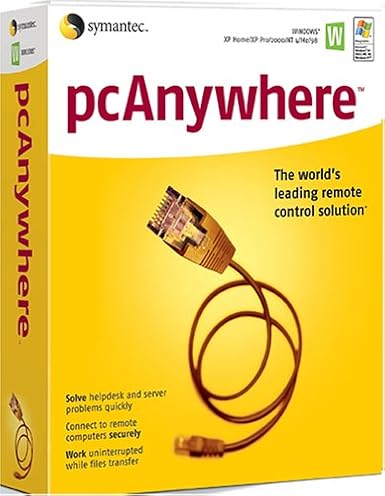
- SYMANTEC pcAnywhere 11.5 Host ( Windows )
0 ratings


Item #:
124881647
SYMANTEC pcAnywhere 11.5 Host ( Windows )
85% of respondents would recommend this to a friend
Item #:
124881647
XOF 40522
Price Details
Excluding Shipping & Custom charges ( Shipping and custom charges will be calculated on checkout )
*All items will import from US
0 ratings
Write a review
In stock
 Imported from USA store
QTY:
Order now and get it around Wednesday, September 30
Secured transaction
Ubuy works hard to protect your security and privacy. Our advanced payment security system ensures confidentiality by encrypting your information during transmission using AES (Advanced Encryption Standards) and SSL (Secure Socket Layer) protocols. Your payment details are 100% secure as we do not share your payment details with third party sellers.
Our Top Logistics Partners


Manage Windows and Linux systems with ease using SYMANTEC pcAnywhere 11.5, featuring remote management and collaborative tools.

Fast
Shipping

Free
Return*

Secure Packaging

100% Original Products

PCI DSS Compliance

ISO 27001 Certified



Note: Step Down Voltage Transformer required for using electronics products of US store (110-120). Recommended power converters Buy Now.


What Stands Out
Remote Access
Enables seamless remote access to your PC from any location, allowing users to troubleshoot and manage systems effortlessly, reducing downtime and increasing productivity.
Cross-Platform Support
Compatible with various operating systems, ensuring flexibility for users who need to connect from different devices, enhancing accessibility without compromising performance.
Robust Security
Offers encrypted connections and secure authentication methods, safeguarding sensitive information while providing reliable remote support to businesses, thus ensuring peace of mind for users.
Product Details
| Is Discontinued By Manufacturer | No |
| Package Dimensions | 9.7 x 7.9 x 2.7 inches (24.6 x 20.1 x 6.9 cm); 4 Pounds (1.81 kg) |
| Date First Available | December 2, 2004 |
| Manufacturer | Symantec |
Who Should Buy?

-
IT Support Teams
Ideal for IT professionals who need to provide remote assistance and troubleshoot client machines effectively.
-
Remote Workers
Beneficial for employees working from home, allowing secure access to office networks and resources easily.
-
Small Businesses
Great for small companies requiring simple remote access solutions for collaboration without heavy infrastructure investments.

-
Casual Users
Not suitable for individuals looking for basic consumer-level remote access without advanced features or complexities.
Product Description
SYMANTEC pcAnywhere 11.5 Host ( Windows )
Have any Query? Chat with us
Customer Questions & Answers
-
Question:
What is SYMANTEC pcAnywhere 11.5 Host used for?
Answer: SYMANTEC pcAnywhere 11.5 Host is a remote desktop software that allows you to remotely control computers over the internet. This is particularly useful for IT professionals who need to provide support or access systems from different locations. The software supports file transfer, remote desktop access, and multi-user capabilities, making it ideal for troubleshooting, maintenance, and remote work scenarios. -
Question:
Is SYMANTEC pcAnywhere compatible with all Windows versions?
Answer: While SYMANTEC pcAnywhere 11.5 Host is designed to work with many Windows versions, specific compatibility may vary. It's primarily compatible with Windows XP, Vista, 7, 8, and some server versions. Before installation, it's advisable to check your system specifications to ensure compatibility, as this ensures seamless operation and troubleshooting without hitches. -
Question:
Can multiple users access SYMANTEC pcAnywhere 11.5 Host at the same time?
Answer: Yes, SYMANTEC pcAnywhere 11.5 Host supports multi-user sessions. This means that several users can connect to the host machine simultaneously, allowing for collaboration during technical support scenarios or team meetings. It's particularly effective in business environments where remote collaboration is necessary, as it enables teams to work together seamlessly despite geographical distances. -
Question:
How secure is SYMANTEC pcAnywhere 11.5 Host for remote sessions?
Answer: SYMANTEC pcAnywhere 11.5 Host incorporates advanced security features, including 256-bit encryption, to ensure secure remote connections. This level of security is essential for protecting sensitive data during remote access. Utilizing these features minimizes the risk of unauthorized access, making it a preferred choice for businesses that handle confidential information. -
Question:
What types of file transfer capabilities does SYMANTEC pcAnywhere 11.5 Host offer?
Answer: SYMANTEC pcAnywhere 11.5 Host includes robust file transfer features that allow users to easily send and receive files between connected systems. This functionality is invaluable for IT professionals who need to deploy updates or patches remotely, and for users who require access to files stored on different machines, thus streamlining workflow and enhancing productivity. -
Question:
Does SYMANTEC pcAnywhere support mobile devices?
Answer: SYMANTEC pcAnywhere 11.5 Host does not natively support mobile devices; it is primarily for desktop and laptop environments. However, with remote desktop apps available for smartphones and tablets, you can connect to pcAnywhere sessions indirectly. This expansion encompasses various use cases, such as troubleshooting or accessing files on the go, thereby increasing flexibility and responsiveness. -
Question:
What are the key features of SYMANTEC pcAnywhere 11.5 Host?
Answer: Key features of SYMANTEC pcAnywhere 11.5 Host include remote access, file transfer, multi-user support, and advanced security options. These functionalities make it suitable for diverse scenarios such as technical support, team collaboration, and remote work environments. Users appreciate its versatility and reliability, ensuring efficient connectivity and management across multiple devices. -
Question:
How do I install SYMANTEC pcAnywhere 11.5 Host?
Answer: To install SYMANTEC pcAnywhere 11.5 Host, download the software from a trusted source, run the installer, and follow the on-screen instructions. After installation, you must configure the host settings according to your network preferences. This setup allows for customized access control, enhancing usability and ensuring the software fits your specific remote access needs. -
Question:
Can I customize the settings of SYMANTEC pcAnywhere 11.5 Host?
Answer: Yes, SYMANTEC pcAnywhere 11.5 Host offers various customizable settings to tailor the software to your needs. Users can adjust preferences for connection security, user permissions, and interface display options. Such customization helps optimize performance for specific tasks like remote troubleshooting or collaborative work without compromising the software's functionality. -
Question:
Where can I buy SYMANTEC pcAnywhere 11.5 Host (Windows) in Guinea-Bissau?
Answer: You can purchase SYMANTEC pcAnywhere 11.5 Host (Windows) from Ubuy in Guinea-Bissau. Ubuy offers a reliable platform to acquire this software, ensuring you have access to the latest features and support. It’s recommended to check the website for availability and to explore various options that meet your specific requirements.
Symantec Remote Access Editorial Review
No editorial reviews found
Customer Reviews & Ratings
1 customers ratings
-
5 Star
100%
-
4 Star
0%
-
3 Star
0%
-
2 Star
0%
-
1 Star
0%
Review this product
Share your thoughts with other customers
Pros
- Easy installation process
- User-friendly interface
- Remote access capabilities
- Compatible with various devices
- Decent performance for basic tasks
Cons
- Limited support for modern systems
Platform Trust & Buyer Confidence

JK
Jasmin
Verified buyer
“Great products and very good service: very easy and very fast international delivery.”
9 September 2026 · via Trustpilot
AG
Anke
Verified buyer
“Wonderful online shopping experience, smooth transaction from the start. Payment method works conveniently and delivery is unexpectedly fast and reliable. You go the extra mile for service. What makes this even more amazing, you deliver to Namibia. I will remain a happy Ubuy customer and will increase my purchases for sure! Thank you!”
10 September 2026 · via Trustpilot
H
Hazel
Verified buyer
“Very easy to find the products what you need, and so fast delivery, that’s why I highly recommended to others costumers to used ubuy.”
10 September 2026 · via Trustpilot
O
Opaleye
Verified buyer
“I received exactly what I ordered I was skeptical about your site because that was my first time to order. But the order came timely and neatly packaged. I was not disappointed. Thank you.”
11 September 2026 · via Trustpilot
AC
Adele
Verified buyer
“Easy to find and order what you want on the website. Delivery is quick to the UK”
8 September 2026 · via Trustpilot
Secure Checkout
Global Delivery
Easy Returns
Genuine Products
Product Price History
Important information
- Limitations : For products shipped internationally, please note that any manufacturer warranty may not be valid; manufacturer service options may not be available; product manuals, instructions, and safety warnings may not be in destination country languages; the products (and accompanying materials) may not be designed in accordance with destination country standards, specifications, and labeling requirements; and the products may not conform to destination country voltage and other electrical standards (requiring use of an adapter or converter if appropriate). The recipient is responsible for assuring that the product can be lawfully imported to the destination country. When ordering from Ubuy or its affiliates, the recipient is the importer of record and must comply with all laws and regulations of the destination country.
- Not all the products listed on Ubuy are for sale, as Ubuy is a global search engine. Products are subject to export/trade regulations.
XOF 40522
Order now and get it around Wednesday, September 30
This item is not restrict in my country.(Please click on above link if this item is not restrict in your country, So our team will review and allow.)
QTY:
Secured transaction
PCI DSS compliant and ISO 27001:2022 certified, with encrypted payments and full buyer protection on every order.
Our Top Logistics Partners
Fastest cross-border delivery
Features & Benefits
- Manage both Windows and Linux systems remotely.
- Access system utilities directly for efficient troubleshooting.
- Run simple batch transfers with pcAnywhere Command Queue.
- Streamline collaboration with concurrent remote connections.
- Easily control hosts with options to restart, shut down, or lock.
- View applications, event logs, and even edit system files remotely.
Ubuy Assurance
Experience worry-free shopping with 100% original products, PCI DSS-compliant payment security, ISO 27001-certified data protection, the fastest cross-border delivery, free returns *, and secure packaging on every order.