- Pagina inicial /
- Software /
- Business & Office /
- Communication /
- Remote Access /
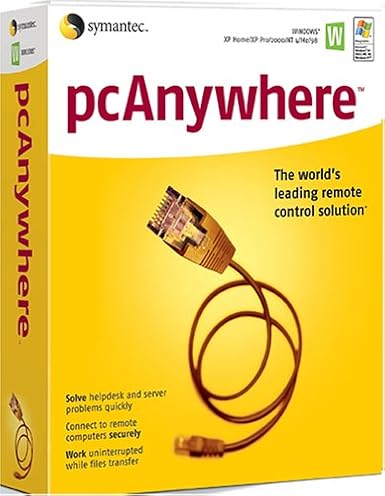
- SYMANTEC pcAnywhere 11.5 Host ( Windows )
0 ratings


Artigo n.º:
124881647
SYMANTEC pcAnywhere 11.5 Host ( Windows )
85% of respondents would recommend this to a friend
Artigo n.º:
124881647
XOF 40522
Detalhes do Preço
Excluindo custos de envio e alfandegários ( Os custos de envio e alfandegários serão calculados na finalização da compra )
*Todos os artigos serão importados de EUA
0 ratings
Escrever uma avaliação
Em stock
 Importado da loja USA
Qtd.:
Encomende já e receba por volta de Quinta-feira, Setembro 10
Transação segura
A Ubuy trabalha arduamente para proteger a sua segurança e privacidade. O nosso sistema avançado de segurança de pagamentos garante a confidencialidade ao encriptar as suas informações durante a transmissão, utilizando os protocolos AES (Normas de Encriptação Avançada) e SSL (Camada de Sockets Seguros). Os seus dados de pagamento estão 100% seguros, pois não partilhamos os seus dados de pagamento com vendedores terceiros.
Os nossos principais Parceiros Logísticos


Manage Windows and Linux systems with ease using SYMANTEC pcAnywhere 11.5, featuring remote management and collaborative tools.

Fast
Shipping

Devolução
gratuita*

Embalagem Segura

Produtos 100% Originais

Certificação PCI DSS

Certificação ISO 27001



Note: Step Down Voltage Transformer required for using electronics products of EUA store (110-120). Recommended power converters COMPRAR AGORA.


O que se Destaca
Remote Access
Enables seamless remote access to your PC from any location, allowing users to troubleshoot and manage systems effortlessly, reducing downtime and increasing productivity.
Cross-Platform Support
Compatible with various operating systems, ensuring flexibility for users who need to connect from different devices, enhancing accessibility without compromising performance.
Robust Security
Offers encrypted connections and secure authentication methods, safeguarding sensitive information while providing reliable remote support to businesses, thus ensuring peace of mind for users.
Detalhes do produto
| Is Discontinued By Manufacturer | No |
| Package Dimensions | 9.7 x 7.9 x 2.7 inches (24.6 x 20.1 x 6.9 cm); 4 Pounds (1.81 kg) |
| Date First Available | December 2, 2004 |
| Manufacturer | Symantec |
Quem Deverá Comprar?

-
IT Support Teams
Ideal for IT professionals who need to provide remote assistance and troubleshoot client machines effectively.
-
Remote Workers
Beneficial for employees working from home, allowing secure access to office networks and resources easily.
-
Small Businesses
Great for small companies requiring simple remote access solutions for collaboration without heavy infrastructure investments.

-
Casual Users
Not suitable for individuals looking for basic consumer-level remote access without advanced features or complexities.
DESCRIÇÃO DO PRODUTO
SYMANTEC pcAnywhere 11.5 Host ( Windows )
Tem alguma Dúvida? Converse connosco
Perguntas e respostas do cliente
-
Pergunta:
What is SYMANTEC pcAnywhere 11.5 Host used for?
Resposta: SYMANTEC pcAnywhere 11.5 Host is a remote desktop software that allows you to remotely control computers over the internet. This is particularly useful for IT professionals who need to provide support or access systems from different locations. The software supports file transfer, remote desktop access, and multi-user capabilities, making it ideal for troubleshooting, maintenance, and remote work scenarios. -
Pergunta:
Is SYMANTEC pcAnywhere compatible with all Windows versions?
Resposta: While SYMANTEC pcAnywhere 11.5 Host is designed to work with many Windows versions, specific compatibility may vary. It's primarily compatible with Windows XP, Vista, 7, 8, and some server versions. Before installation, it's advisable to check your system specifications to ensure compatibility, as this ensures seamless operation and troubleshooting without hitches. -
Pergunta:
Can multiple users access SYMANTEC pcAnywhere 11.5 Host at the same time?
Resposta: Yes, SYMANTEC pcAnywhere 11.5 Host supports multi-user sessions. This means that several users can connect to the host machine simultaneously, allowing for collaboration during technical support scenarios or team meetings. It's particularly effective in business environments where remote collaboration is necessary, as it enables teams to work together seamlessly despite geographical distances. -
Pergunta:
How secure is SYMANTEC pcAnywhere 11.5 Host for remote sessions?
Resposta: SYMANTEC pcAnywhere 11.5 Host incorporates advanced security features, including 256-bit encryption, to ensure secure remote connections. This level of security is essential for protecting sensitive data during remote access. Utilizing these features minimizes the risk of unauthorized access, making it a preferred choice for businesses that handle confidential information. -
Pergunta:
What types of file transfer capabilities does SYMANTEC pcAnywhere 11.5 Host offer?
Resposta: SYMANTEC pcAnywhere 11.5 Host includes robust file transfer features that allow users to easily send and receive files between connected systems. This functionality is invaluable for IT professionals who need to deploy updates or patches remotely, and for users who require access to files stored on different machines, thus streamlining workflow and enhancing productivity. -
Pergunta:
Does SYMANTEC pcAnywhere support mobile devices?
Resposta: SYMANTEC pcAnywhere 11.5 Host does not natively support mobile devices; it is primarily for desktop and laptop environments. However, with remote desktop apps available for smartphones and tablets, you can connect to pcAnywhere sessions indirectly. This expansion encompasses various use cases, such as troubleshooting or accessing files on the go, thereby increasing flexibility and responsiveness. -
Pergunta:
What are the key features of SYMANTEC pcAnywhere 11.5 Host?
Resposta: Key features of SYMANTEC pcAnywhere 11.5 Host include remote access, file transfer, multi-user support, and advanced security options. These functionalities make it suitable for diverse scenarios such as technical support, team collaboration, and remote work environments. Users appreciate its versatility and reliability, ensuring efficient connectivity and management across multiple devices. -
Pergunta:
How do I install SYMANTEC pcAnywhere 11.5 Host?
Resposta: To install SYMANTEC pcAnywhere 11.5 Host, download the software from a trusted source, run the installer, and follow the on-screen instructions. After installation, you must configure the host settings according to your network preferences. This setup allows for customized access control, enhancing usability and ensuring the software fits your specific remote access needs. -
Pergunta:
Can I customize the settings of SYMANTEC pcAnywhere 11.5 Host?
Resposta: Yes, SYMANTEC pcAnywhere 11.5 Host offers various customizable settings to tailor the software to your needs. Users can adjust preferences for connection security, user permissions, and interface display options. Such customization helps optimize performance for specific tasks like remote troubleshooting or collaborative work without compromising the software's functionality. -
Pergunta:
Where can I buy SYMANTEC pcAnywhere 11.5 Host (Windows) in Guinea-Bissau?
Resposta: You can purchase SYMANTEC pcAnywhere 11.5 Host (Windows) from Ubuy in Guinea-Bissau. Ubuy offers a reliable platform to acquire this software, ensuring you have access to the latest features and support. It’s recommended to check the website for availability and to explore various options that meet your specific requirements.
Symantec Remote Access Editorial Review
Nenhuma análise editorial encontrada
Avaliações e Classificações dos Clientes
1 classificações de clientes
-
5 Estrela
100%
-
4 Estrela
0%
-
3 Estrela
0%
-
2 Estrela
0%
-
1 Estrela
0%
Avaliar este produto
Partilhe as suas ideias com outros clientes
Prós
- Easy installation process
- User-friendly interface
- Remote access capabilities
- Compatible with various devices
- Decent performance for basic tasks
Contras
- Limited support for modern systems
CONFIANÇA NA PLATAFORMA E SEGURANÇA DO COMPRADOR

MA
Mohammad
Comprador verificado
“Excellent quality and original too,when ubuy send original things I will appreciate that ,I very satisfied thank you”
23 July 2026 · via Trustpilot
CK
Chitra
Comprador verificado
“The order and delivery progress was communicated very well. Package arrived within the estimated time. Products arrived as expected in good condition.”
22-Jul-26 · via Trustpilot
K
kund
Comprador verificado
“Good supply of products. Safe payment methods, and shipment worldwide! Genuine products.”
23-Jul-26 · via Trustpilot
OO
Onesi
Comprador verificado
“Was my first time buying a product from Ubuy, but I found it so helpful. This is reliable. Gonna place a new order!”
22 July 2026 · via Trustpilot
SJ
SAO JOHN
Comprador verificado
“Ubuy is a great online platform to buy stuff. Reliable, fast delivery time and great value for money. I've been using Ubuy online shopping platform for three years now and will continue to do so.”
23 July 2026 · via Trustpilot
Checkout Seguro
Entrega Global
Devoluções Fáceis
Produtos Genuínos
Histórico de preços do produto
Informação importante
- Limitações: para produtos expedidos internacionalmente, tenha em atenção que qualquer garantia do fabricante pode não ser válida; opções de serviço do fabricante podem não estar disponíveis; manuais de produtos, instruções e avisos de segurança podem não estar nas línguas do país de destino; os produtos (e materiais que o acompanham) pode não ter sido concebido em conformidade com as normas, especificações e requisitos de rotulagem do país de destino; e os produtos podem não estar em conformidade com a voltagem e outras normas elétricas do país de destino (requerendo assim o uso de um adaptador ou conversor caso seja apropriado). O destinatário é responsável por garantir que o produto pode ser legalmente importado para o país de destino. Quando encomenda à Ubuy ou aos seus afiliados, o destinatário é o importador de registo e deve estar em conformidade com todas as leis e regulamentos do país de destino.
- Nem todos os produtos listados na Ubuy estão à venda, uma vez que a Ubuy é um motor de busca global. Os produtos estão sujeitos a leis de exportação/comércio.
XOF 40522
Encomende já e receba por volta de Quinta-feira, Setembro 10
Este artigo não está restrito no meu país. (Clique no link acima se este artigo não estiver restrito no seu país, para que a nossa equipa o analise e permita.)
Qtd.:
Transação segura
Em conformidade com a norma PCI DSS e com certificação ISO 27001:2022, com pagamentos encriptados e proteção total do comprador em todas as encomendas.
Os nossos principais Parceiros Logísticos
Entrega internacional mais rápida
Recursos e benefícios
- Manage both Windows and Linux systems remotely.
- Access system utilities directly for efficient troubleshooting.
- Run simple batch transfers with pcAnywhere Command Queue.
- Streamline collaboration with concurrent remote connections.
- Easily control hosts with options to restart, shut down, or lock.
- View applications, event logs, and even edit system files remotely.
Ubuy Assurance
Experience worry-free shopping with 100% original products, PCI DSS-compliant payment security, ISO 27001-certified data protection, the fastest cross-border delivery, free returns *, and secure packaging on every order.